Every read, one home
EPUBs, PDFs, Markdown, text, comics and images. Spend less time thinking about file formats and more time with the words.
eBooks · Documents · Comics · Web
YOUR BOOKS. YOUR THOUGHTS.
A book, a new idea, a line worth keeping.
Bring every reading moment into BookRack.
An eBook reader and note-taking app for Android.
At home on your phone. Thoughtful on E-Ink.
01 / READ. THINK. KEEP.
No need to jump between apps.
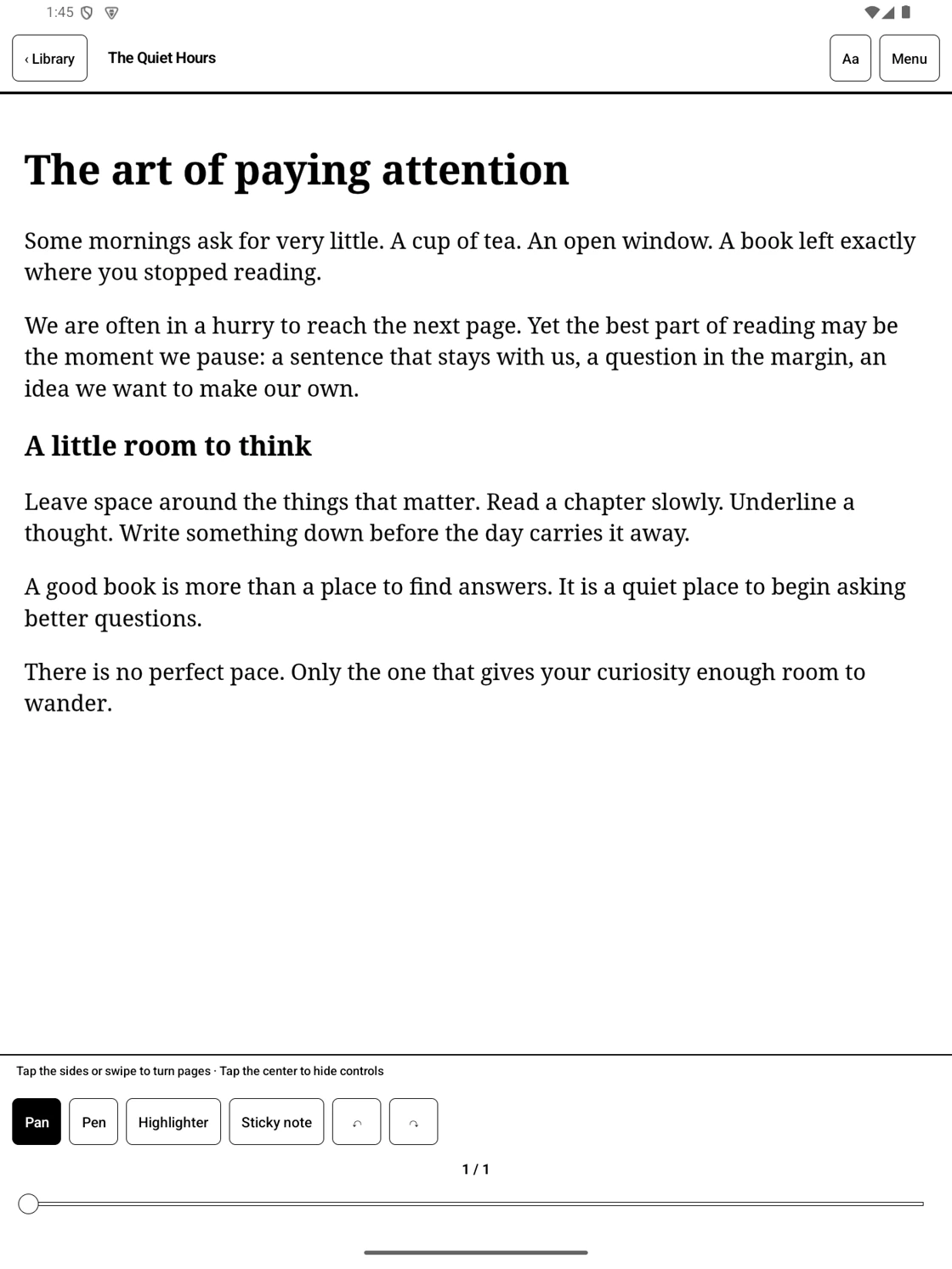
Read, reflect and pick up where you left off.
EPUBs, PDFs, Markdown, text, comics and images. Spend less time thinking about file formats and more time with the words.
Underline by hand, highlight a passage or add a sticky note. Open a companion note when an idea needs a little more room.
Sync books, notes and reading positions with Google Drive or your NAS. Read and write offline with documents saved on your device.
02 / DESIGNED WITH E-INK IN MIND
More than a change to black and white.
Reading and writing, tuned to the screen in your hands.
Choose E-Ink or standard page transitions for each document. Read in a way that suits your phone or electronic paper display.
Original color, grayscale or black-and-white optimization. Adjust text weight and clarity to find the right balance for your document and display.
On compatible BOOX pen devices, you can enable manufacturer pen acceleration. Put your thoughts straight onto documents and notes.
Requires Android 14+. Pen acceleration depends on the device and firmware. Physical display refresh and ghosting vary with device settings.
CHAPTER ONE
Less noise.
More meaning.
Some things deserve your full attention.
A good book. A new idea.
A quiet moment to make it your own.
Make room for a little wonder.
— 01 —An interactive text-weight demo. Actual device rendering will differ.
03 / A CLOSER LOOK
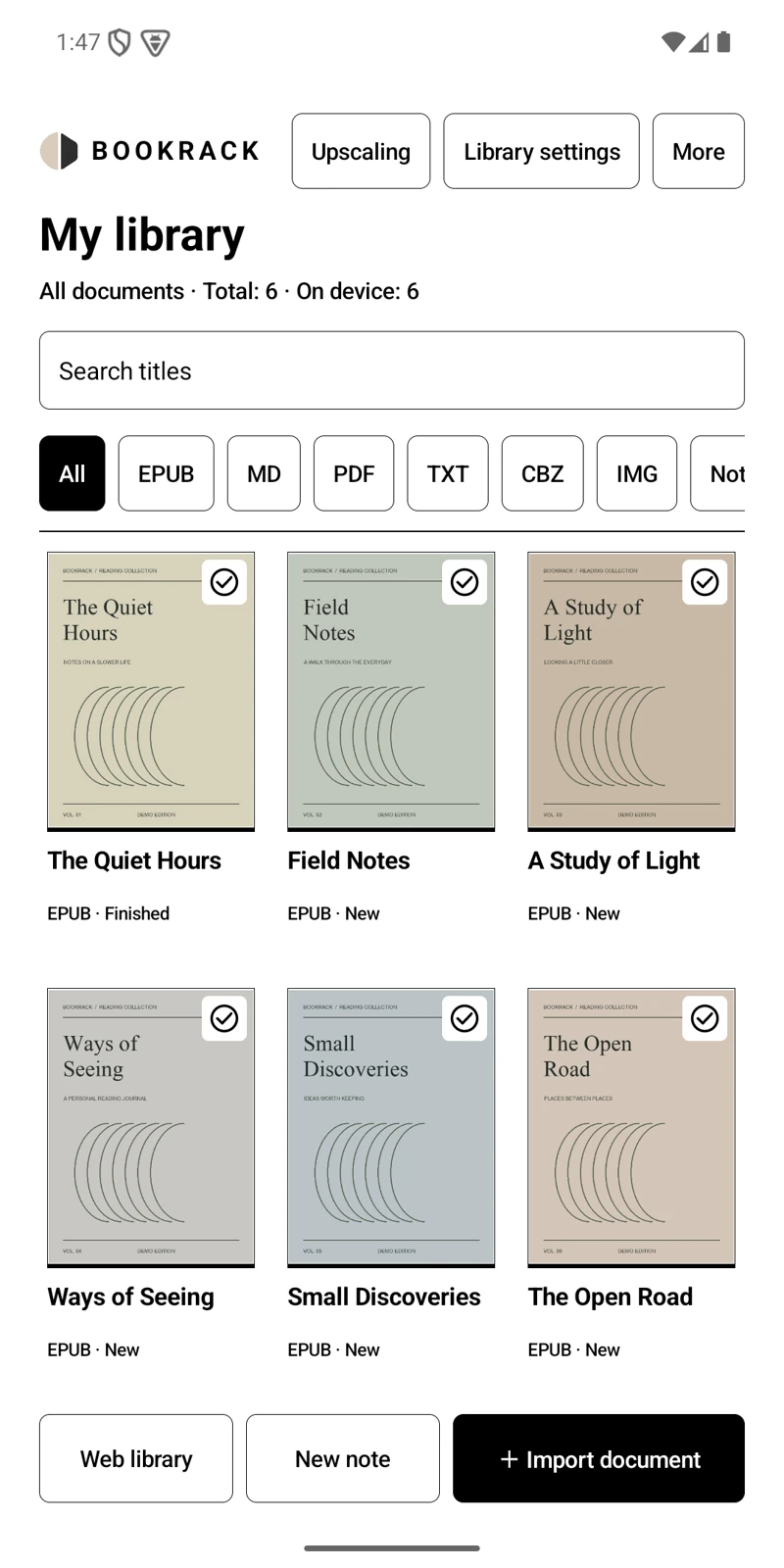
A quiet library. A little space for your thoughts.
Explore the actual BookRack app.
THE LITTLE THINGS, CONSIDERED.
Read two pages together or split a spread. View PDFs and comics in the reading direction that works for you.
On-device AI upscaling for PDFs, comics and images. Download a model, then process pages on your device.
Choose blank, ruled, grid or dot paper. Export as PDF, PNG or an editable BookRack notebook.
Read and annotate local documents offline. Connect when you need cloud sync or web reading.
A FEW GOOD QUESTIONS
Before your first page,
a few things worth knowing.
BookRack supports phones, tablets and Android-based E-Ink devices running Android 14 or later. It offers E-Ink page transitions and display settings, with optional manufacturer pen acceleration on compatible BOOX pen devices. eReaders that cannot install Android apps are not supported.
Read EPUB, PDF, Markdown (MD), TXT, ZIP/CBZ and RAR/CBR comics, plus JPG, JPEG, PNG, WebP, BMP and GIF images. You can also import and export BookRack notebooks (.brnote) and read external web pages.
BookRack offers an E-Ink page transition mode, black-and-white optimization, grayscale, and text weight and clarity controls. Compatible BOOX pen devices can also use manufacturer pen acceleration. Actual ghosting, panel refresh and pen response depend on the device and firmware; the app does not directly control every device's panel refresh.
Yes. Reading and handwriting on documents saved to your device work offline. Cloud sync, web reading and the initial download of AI upscaling models require a network connection.
Connect one storage service: Google Drive, WebDAV, FTP/FTPS or SMB 2/3. Sync books, handwriting and reading positions. If screen layouts or text sizes differ between devices, saved annotations can be viewed in their original layout. ZIP backup and restore, and Wi-Fi file transfer, are also supported.
Public download links are being prepared. Once available, they will appear in the download section on this page.
A HOME FOR YOUR BOOKS. A SPACE FOR YOUR MIND.
From a library in your pocket to a paper-like screen.
Bring the joy of reading and writing a little closer.
Android 14+ · Phones, tablets and compatible E-Ink devices